

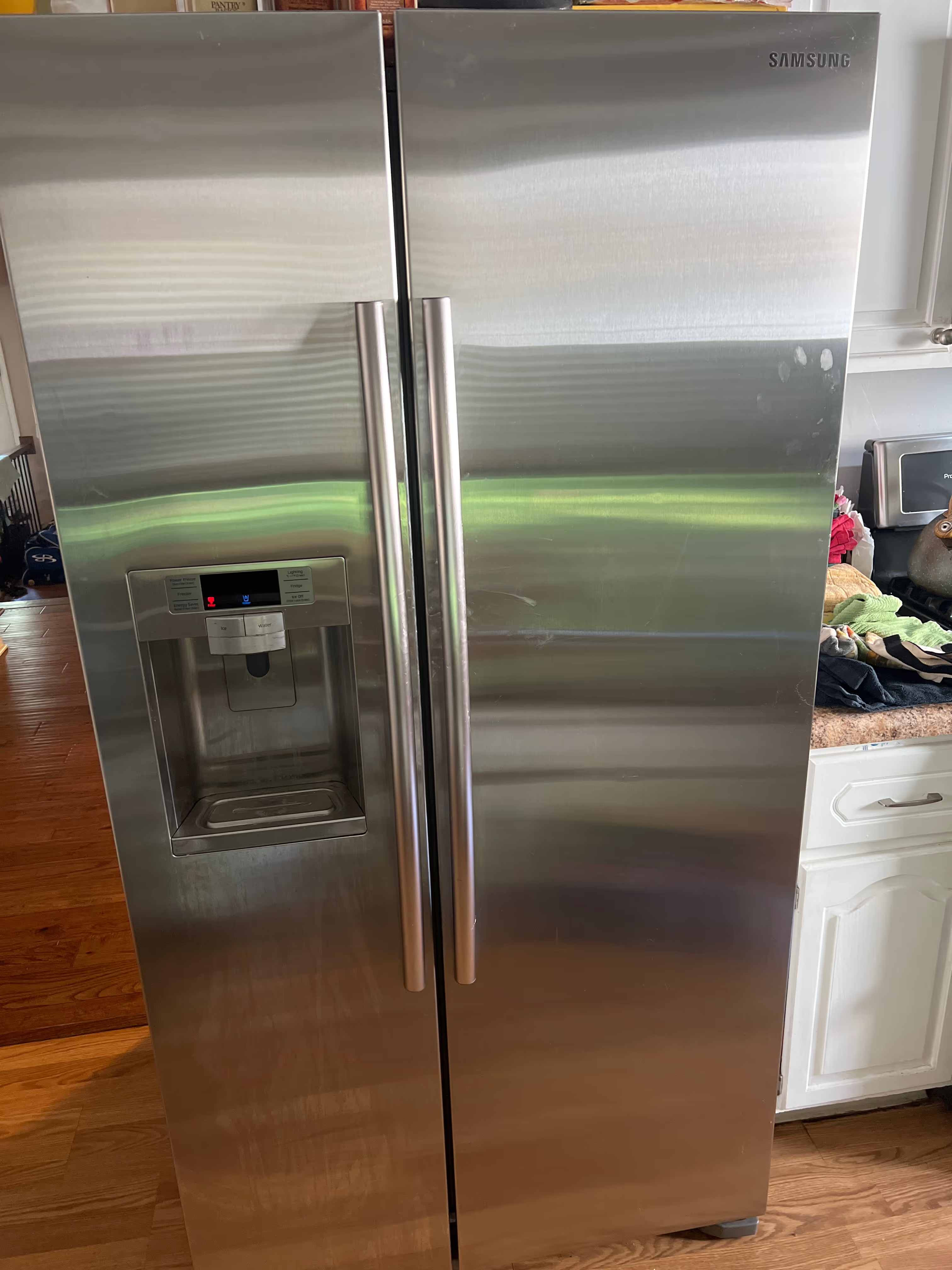
Samsung Refrigerator Ice Maker Not Working? Causes and Fixes
Key Takeaways
- Most Samsung ice-maker issues are frost buildup, an old filter, a frozen line, or a bad inlet valve.
- Replace the filter about every 6 months and keep the freezer at or below 0°F.
- A manual defrost clears frost; recurring frost means a worn seal or assembly.
- Try the ice-maker reset (Test/Power button) per your model's manual.
- Refrigerator repairs start at $249, and the $79 diagnostic is waived with the repair.
Is your Samsung refrigerator ice maker not working? If it has stopped making ice, frozen into a solid block, or started leaking, you're not alone — it's one of the most common refrigerator complaints we hear. The reassuring news is that the cause is usually something fixable: frost buildup, a clogged water line, an old filter, or a stuck dispenser part. This in-depth guide walks through every common reason a Samsung ice maker quits, the safe resets and checks you can try yourself, what repair costs, and when it's time to call a technician.
A+ Appliance Repair & Maintenance is a family-owned appliance repair company that has served Chicago and the surrounding suburbs since 2015. We hold a 4.9-star rating across more than 1,200 customer reviews, we've helped over 10,000 homes and businesses, and our technicians repair Samsung, LG, Whirlpool, and every other major brand. Samsung ice makers are a familiar fix for us.
Why is my Samsung refrigerator ice maker not working?
A Samsung ice maker usually stops working because of frost or ice buildup around the unit, a frozen or kinked water line, a clogged water filter, or a faulty water inlet valve. Frost buildup is the most common cause and can often be cleared with a manual defrost. Most ice-maker problems are repairable without replacing the refrigerator.
The ice maker depends on several things working together: a steady water supply, a clean filter, a working motor and sensor, and a freezer that holds the right temperature. When any one of those is off, ice production slows or stops. Identifying which one saves both time and money, and many of the causes are things you can check at home.
The most common causes — and what they look like
- Frost or ice buildup. Ice forming around the ice maker compartment can jam the mechanism. You may see a frosted-over unit or hear the motor straining.
- Clogged or old water filter. A filter past its lifespan restricts water flow, so the ice maker fills slowly or not at all.
- Frozen or kinked water line. The thin supply line can freeze or pinch, cutting off water to the ice maker.
- Faulty water inlet valve. If the valve fails, water never reaches the ice maker even when everything else is fine.
- Temperature set too high. A freezer above about 0°F won't freeze ice properly. Confirm the setting.
- Dispenser or auger problems. If ice is being made but won't dispense, the issue is often a stuck auger or a dispenser flap.
- Worn ice-maker seal. A failing seal lets humid air in, which refreezes and causes repeat frost buildup.
Why Samsung ice makers frost over so often
Frost buildup is the issue we see most on Samsung ice makers, so it's worth understanding. It generally happens when humid air gets into the ice-maker compartment — often through a worn seal, a small gap, or a temperature swing — and refreezes around the mechanism. A manual defrost clears it temporarily, but if frost keeps returning, the seal or the ice-maker assembly likely needs attention to stop the cycle for good. A technician can determine whether a simple seal or a full assembly is the right fix.
Safe checks and resets you can try
- Replace the water filter. If it's been six months or more, swap it. This is a frequent, easy fix for slow or no ice.
- Check the temperature. Set the freezer to 0°F (or slightly colder) and give it 24 hours.
- Run the ice-maker reset. Many Samsung models have a reset — often a Test or Power button on the ice maker. Check your model's manual for the exact steps.
- Manually defrost. If you see frost buildup, turn the unit off and let it thaw for several hours (or overnight) to clear ice that's jamming the mechanism.
- Inspect the water line. Make sure the supply line behind the fridge isn't kinked and the shutoff valve is fully open.
- Confirm the ice maker is turned on. It sounds obvious, but the ice maker can be switched off accidentally in the controls.
If the ice maker still won't produce after a filter change, a temperature check, and a defrost, the problem is likely the inlet valve, the ice-maker assembly, or a sensor — and that's where a technician comes in.
How much does Samsung refrigerator repair cost?
At A+ Appliance Repair & Maintenance, refrigerator repairs start at $249, and every repair is quoted as a flat, fixed price per repair before any work begins — never hourly. We set our rates using the industry-standard Appliance Repair Blue Book, so pricing is transparent and consistent.
Our residential diagnostic fee is $79, and it's waived and applied to your repair when you proceed — so the service call is effectively free with any repair. You'll always know the price before we start, with no hidden fees. every completed repair is backed by our full repair warranty. A correct diagnosis matters here: replacing an ice-maker assembly when the real problem is an inlet valve wastes money, so our technicians test the whole system.
Why choose A+ for Samsung repair?
- Experience since 2015. A family-owned company that has served more than 10,000 homes and businesses.
- Expertise across every major brand. Samsung, LG, Whirlpool, GE, and more.
- Proven track record. A 4.9-star rating across 1,200+ reviews, BBB Accredited, Angi Super Service Award in 2024 and 2025, and Thumbtack recognition.
- Licensed, insured, and background-checked. Every technician who enters your home is vetted.
- Transparent, guaranteed work. Fixed, upfront pricing and a repair warranty.
- Fast, local service. Same-day and next-day appointments, seven days a week, from 6 AM to 9 PM.
How to prevent Samsung ice-maker problems
- Change the water filter about every six months to keep water flowing freely.
- Keep the freezer at or just below 0°F for proper ice production.
- Periodically check the ice-maker seal and clear any early frost before it builds up.
- Make sure the water line stays unkinked and the shutoff valve fully open.
- Don't overfill the freezer in a way that blocks airflow to the ice maker.
Samsung refrigerator repair near you
A+ Appliance Repair & Maintenance is headquartered in Chicago and serves the entire metro and surrounding Illinois suburbs, plus the Los Angeles metro, Washington D.C., Northern Virginia, and Houston, Texas. Explore our refrigerator repair service, our Samsung appliance repair page, or our Illinois service area.
Want your ice maker fixed fast? Book online in seconds or call (800) 819-4195 for same-day Samsung refrigerator repair.
Frequently asked questions
How do I reset my Samsung refrigerator ice maker?
Most Samsung models have a reset button on the ice maker (often labeled Test or Power) — press and hold it until you hear a chime, then wait 24 hours for ice production to resume. Check your model's manual for the exact procedure.
Why is my Samsung ice maker freezing up?
Frost buildup usually comes from a worn ice-maker seal or a humidity leak letting moist air in to refreeze. A manual defrost clears it temporarily; if it keeps recurring, the seal or assembly likely needs service.
How often should I change my refrigerator water filter?
Roughly every six months, or sooner if water or ice flow slows. An old filter is one of the most common reasons a Samsung ice maker underperforms.
Why is my Samsung ice maker leaking water?
Leaks often come from a misaligned or worn water line, a stuck inlet valve, or frost melting from a defrost. It's worth a professional check to find the source and prevent water damage.
Is a Samsung ice maker worth repairing?
Usually yes — most ice-maker issues cost a fraction of a new refrigerator. A technician can confirm whether a repair makes sense for your model and its age.
Do you offer same-day Samsung repair?
Yes. We offer same-day and next-day appointments, seven days a week, from 6 AM to 9 PM, across our service area.
How much does Samsung refrigerator repair cost?
Refrigerator repairs start at $249, quoted as a flat, fixed price before work begins. The $79 residential diagnostic fee is waived when you proceed, and every completed repair is backed by our full repair warranty.











.svg)

















.avif)



.svg.avif)

.avif)
.avif)










.avif)








.avif)



.avif)



.avif)




.avif)



.avif)

.avif)





.avif)
.avif)
.avif)
.avif)
.avif)
.avif)
.avif)
.avif)
.avif)